Exporting Diagrams
Once you've built your architecture diagram, you need to share it. Rekhic provides a dedicated Export functionality located in the top-right header menu.
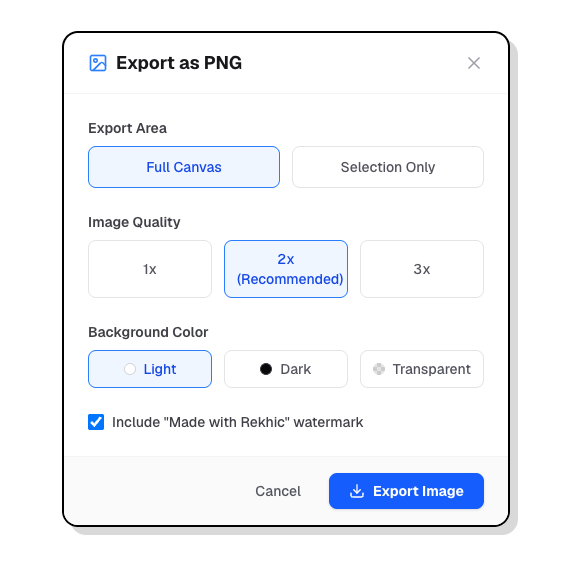
Supported Formats
1. PNG (Portable Network Graphics)
- Best for: Embedding in Slack, GitHub PRs, Notion, or Confluence.
- Why: PNGs support transparency and provide a crisp, lossless raster image that renders perfectly on any screen.
2. JPEG
- Best for: Email attachments or strict file-size constraints.
- Why: JPEGs are compressed and do not support transparency. Use this only if PNGs are too large.
3. SVG (Scalable Vector Graphics)
- Best for: High-quality printing, PDF embedding, or scaling infinitely without pixelation.
- Why: SVGs are vector-based. The text remains selectable and the lines stay perfectly sharp at any zoom level.
4. JSON
- Best for: Backups or raw data manipulation.
- Why: JSON exports the raw state of the XYFlow canvas.
Integration with Documentation Platforms
While Rekhic does not have native OAuth syncing or live-embed plugins for Notion or Confluence, the workflow is highly optimized for these platforms:
- Click Export -> PNG.
- Drag and drop the downloaded PNG directly into your Notion page or Confluence wiki.
By keeping the export process lightweight, you can use Rekhic diagrams anywhere without worrying about third-party plugin permissions.